
Shoot to Escape Controls (PC & Mobile)
Movement, shooting, vacuum, Shop, and Dynamite inputs so the bunker loop stays smooth on every device.
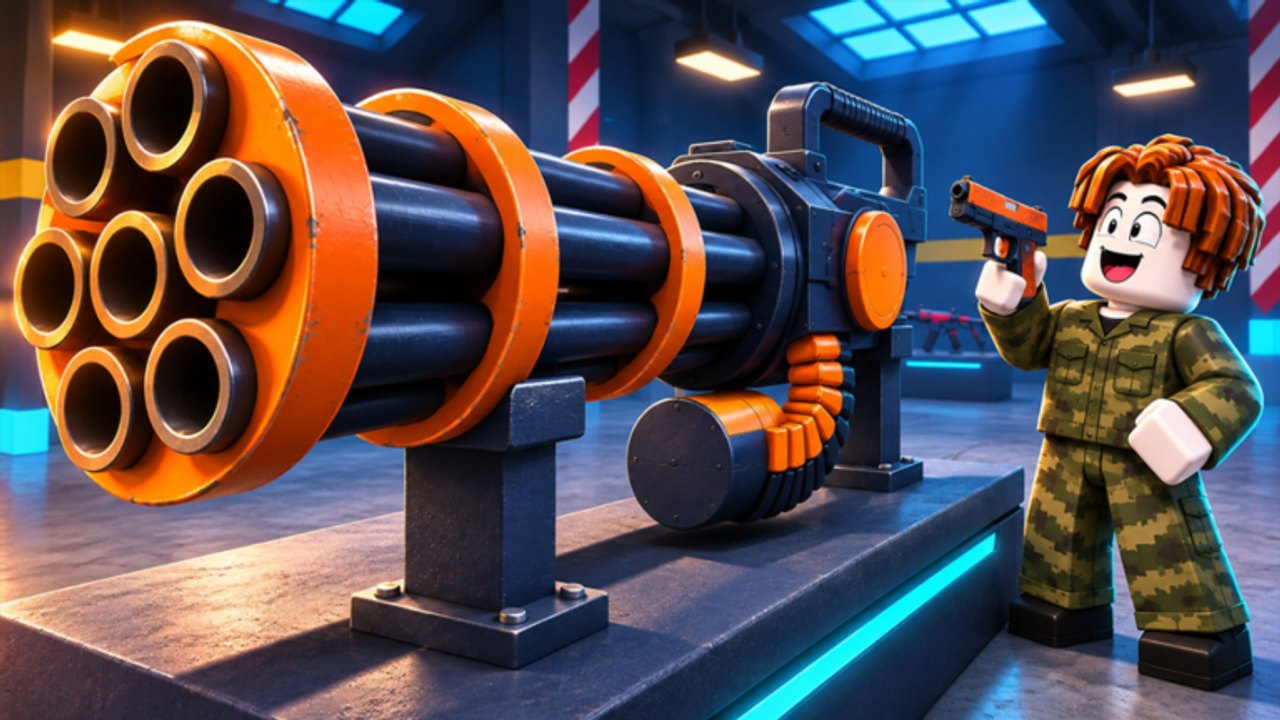
Clean controls turn Shoot to Escape from a clumsy click-fest into a readable loop: shoot the wall, vacuum blocks, sell on the conveyor, upgrade guns, escape 14 walls. This page covers PC and mobile habits that keep your aim on the breach, your vacuum queue full, and your Shop / codes flow one thumb away. Pair it with How to Play for systems and Getting Started for the day-one checklist.
Shoot to Escape runs inside Roblox, so device defaults follow the Roblox client. The tips below focus on gameplay priorities rather than inventing fake keybinds the place might remap in a future update.
Control priorities (every device)
- Keep moving between shoot and vacuum positions — standing still while blocks despawn is the real soft-lock.
- Open Shop quickly for codes and gun buys without losing your place at the wall.
- Throw Dynamite only when vacuum help is ready — see Dynamite and Craters.
- Claim daily rewards and missions before long firefights so you are not menuing mid-wave.
- Watch the conveyor path so sell trips are short and frequent.
If a control fight ever appears between cosmetics menus and the breach, close the menu. Walls do not wait.
PC habits that raise clear speed
On keyboard and mouse (or controller via Roblox):
- Use smooth strafe along the wall face so shots stitch a horizontal cut instead of a random pockmark pattern.
- Rebind or practice whatever Roblox uses on your setup for primary fire until holding fire feels automatic—Minigun play especially rewards sustained input.
- Learn the shortest run from breach → vacuum sweep → conveyor → back. Sprint wasted on sightseeing is cash lost.
- Keep the Shop hotkey/path memorized for Enter code redeems (FREESPIN, PERKS, CHAPTER2) and emergency gun purchases mid-session.
- When co-op voice is on, bind attention to callouts (“vacuum left,” “Dynamite ready”) rather than typing full sentences in chat mid-spray.
PC players often over-aim decorative edges. Track the thick core the same way the Dynamite guide recommends for crater placement.
Mobile habits that prevent mis-taps
Touch controls are fully supported for Shoot to Escape’s audience, but UI density is higher:
- Anchor your fire thumb so the shoot button does not drift into jump or camera pads.
- After a crater, switch mental mode from “spray” to “vacuum drag” immediately—mobile players lose the most blocks to slow mode switches.
- Open Shop with deliberate taps; accidental closes while typing codes waste time. Paste codes from a notes app when possible.
- Rotate to landscape if your device allows clearer conveyor sight lines.
- In four-player lobbies, stand slightly off-center so other avatars do not block your fire button’s target view.
If mobile input feels sticky after a patch, do one Beginner smoke test before Hard—the Updates hub tracks live-ops that sometimes touch UI.
HUD checklist
Know where these live so you never hunt mid-fight:
| UI piece | Why it matters |
|---|---|
| Shop | Codes, guns, gem perks |
| Enter code field | FREESPIN / PERKS / CHAPTER2 |
| Daily / missions | Streak and quest claims |
| Gun owned / next price | Tier decisions (Tier List) |
| Dynamite charges | Crater timing |
| Class / drone panels | Optional multipliers (Classes and Drones) |
Claim group membership (I Shoot For Fun, +10% cash) outside the heat of a wall fight so you are not alt-tabbing while debris despawns.
Loop-specific control tips
Shooting
Hold a stable lane. Reposition when your shots only tick surface chips. Swap to the next weapon as soon as cash allows—controls feel “bad” when the gun is under-leveled, not when your hands are wrong.
Vacuuming
Sweep low across fresh debris after every burst or Dynamite throw. In co-op, declare vacuum duty so two players do not fight the same pile (Players).
Selling
Touch the conveyor with a full-enough pack; do not wait for an enormous inventory if the floor is already crowded. Controls skill includes knowing when to break off fire.
Menus mid-run
Pause fire intentionally before opening Shop. Menuing while the wall still has HP is fine; menuing while blocks sit unvacuumed is not.
Accessibility and comfort
- Lower camera sensitivity if motion makes crater aiming hard.
- Use headphones in co-op for callouts without huge chat overlays.
- Take short breaks on Hard—input errors climb when hands fatigue.
- Never install “control enhancer” executors; they are just scripts with extra risk (Scripts).
Practice drills
- Two-minute breach drill: shoot only, no upgrades—measure how clean your lane is.
- Vacuum drill: Dynamite once, gather everything before selling.
- Shop drill: from the wall, open Shop, redeem a test of the code UI, close, return to fire in under fifteen seconds.
- Co-op drill: one player muted except for vacuum/Dynamite calls.
After controls feel natural
Move back to systems pages: Difficulty Modes, Loot, Gems, and Relics, and the Guides Hub reading order. Good hands cannot fix a skipped group bonus or unclaimed daily, but bad hands can waste a perfect Minigun. Stabilize inputs, then push deeper into the bunker.
Frequently Asked Questions
Quick answers to the most common questions.
Does Shoot to Escape support mobile controls?
Yes. The game runs in the Roblox mobile client. Focus on stable fire thumb placement, fast vacuum after craters, and careful Shop taps for codes.
What should I prioritize with controls?
Keep the shoot → vacuum → sell loop smooth, open Shop quickly for codes and upgrades, and only throw Dynamite when someone can vacuum immediately.
Why do my controls feel weak on Hard?
Often the gun tier is too low for the difficulty. Upgrade along the Pistol to Quasar path and use Dynamite as setup, then revisit sensitivity and lane discipline.
Where do I enter codes on any device?
Open the Shop button, scroll to Enter code, paste FREESPIN, PERKS, or CHAPTER2 exactly, and tap Redeem. Full steps are on the Codes Hub.
Can scripts improve controls?
Avoid them. So-called control or autofire injectors risk bans. Practice lanes and vacuum timing instead.